How it works
Raw export in. Client-ready render out.
Five moves between the file on your desk and the image your client sees — every screen below is the real app. Consistency Lock runs on every render, automatically.
Start a project
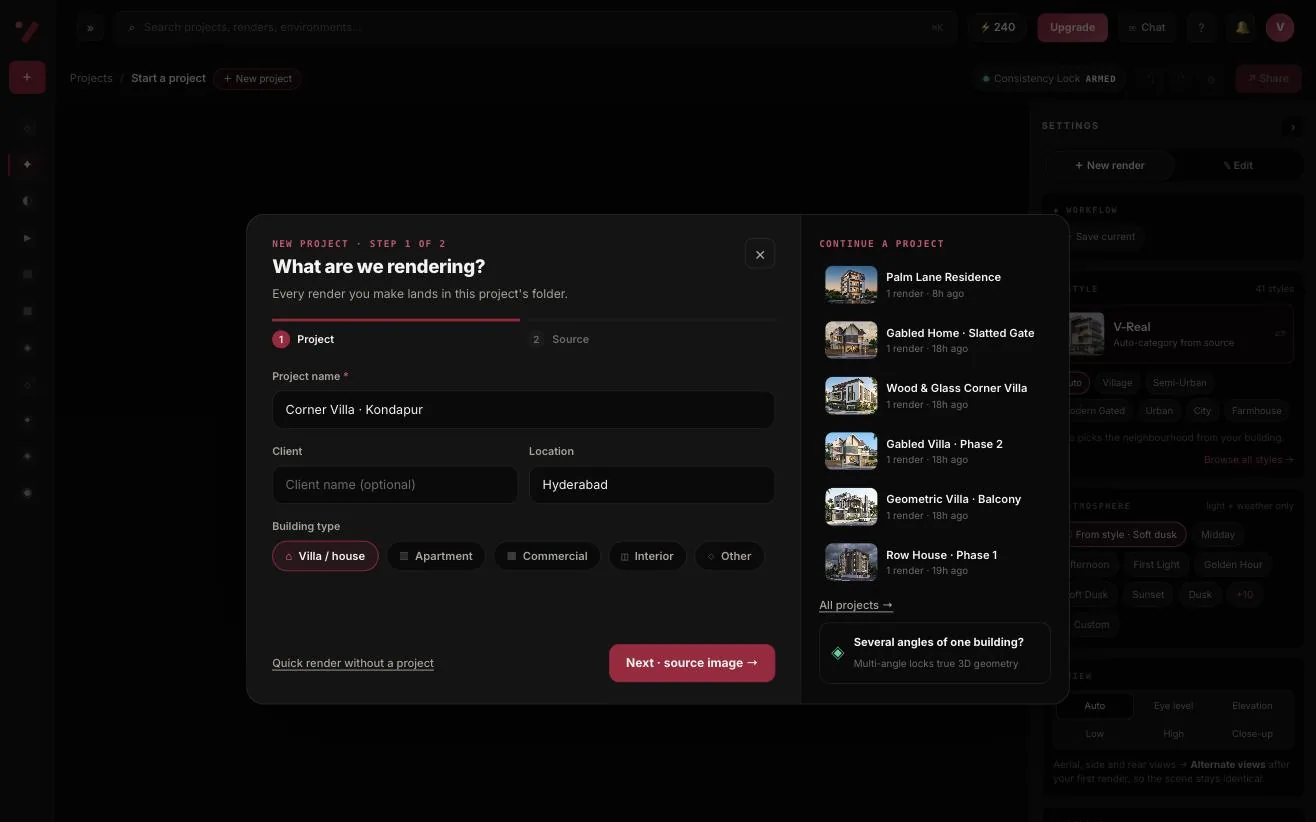
A short wizard names the project, records the client, location and building type, and takes your source image. Every render you make lands in that project's folder.
- Any PNG or JPG export — SketchUp, Revit, AutoCAD, Lumion, Rhino, clay screenshots
- Past uploads live in your asset library — reuse them in one click
- Continue an existing project from the same window
Pick a style and an atmosphere
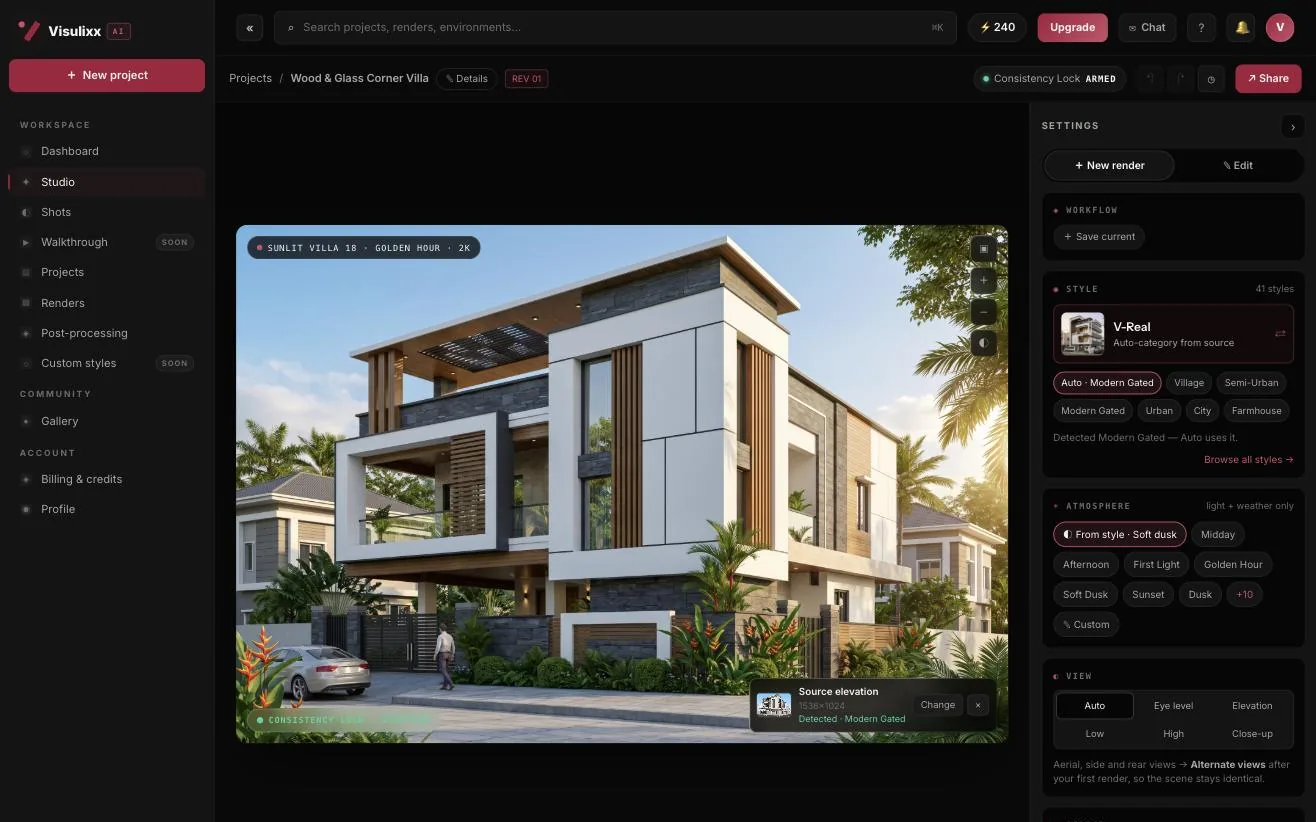
Style is the world around your building; atmosphere is the light and weather. Pick them independently — 41 styles × 17 atmospheres — then choose the view and the aspect ratio.
- V-Real auto-detects village, semi-urban, gated, urban, city or farmhouse context
- Star favourite styles and preview any style full screen
- 12 aspect ratios, including A4 portrait and A4 landscape
Render — with Consistency Lock
Hit Generate. Visulixx AI renders your source, then a vision check compares the output with your drawing — windows, floor lines, roofline, gate and plot. If something drifted, it re-renders with a precise correction before you see anything.
- About 60 seconds, end to end
- Every render gets a Consistency score next to your source
- Can't be certified? The credits return automatically
Refine, post-process, download
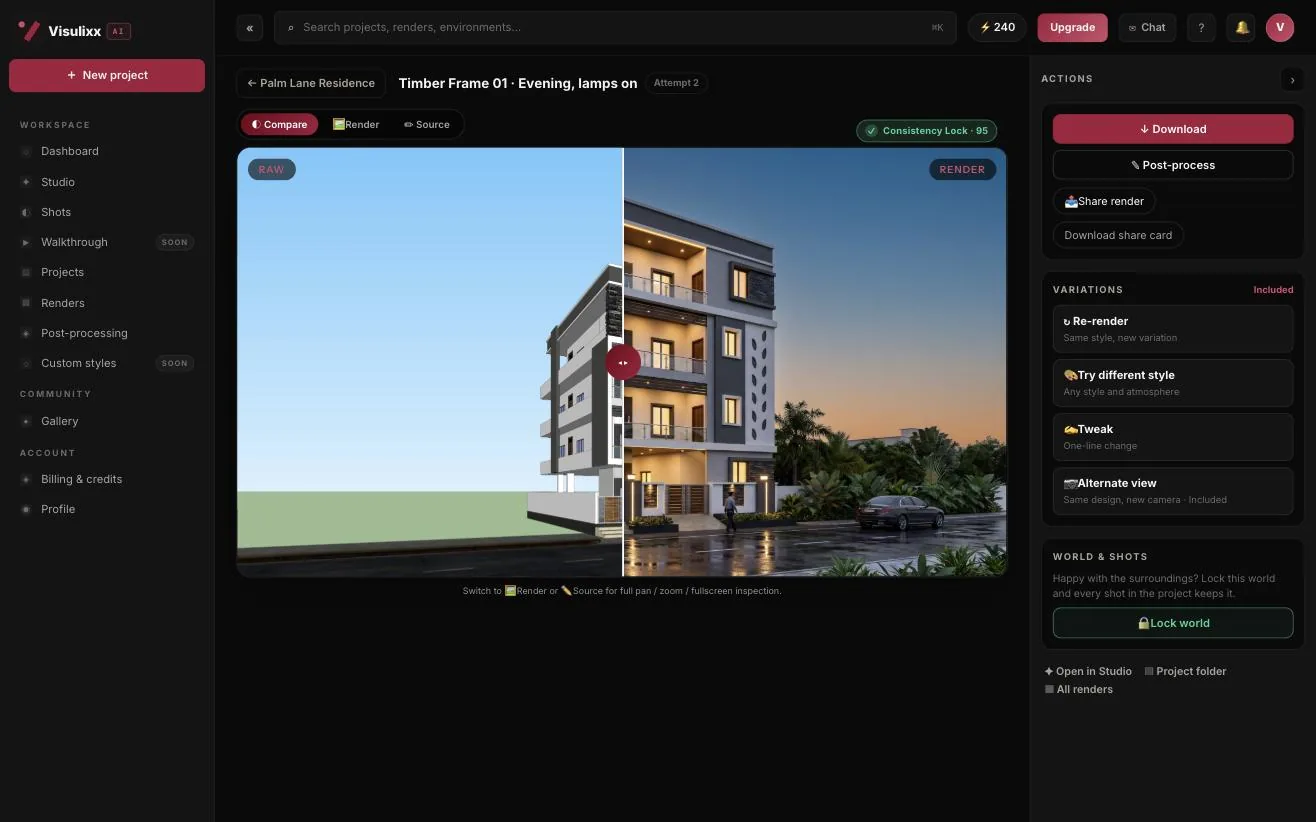
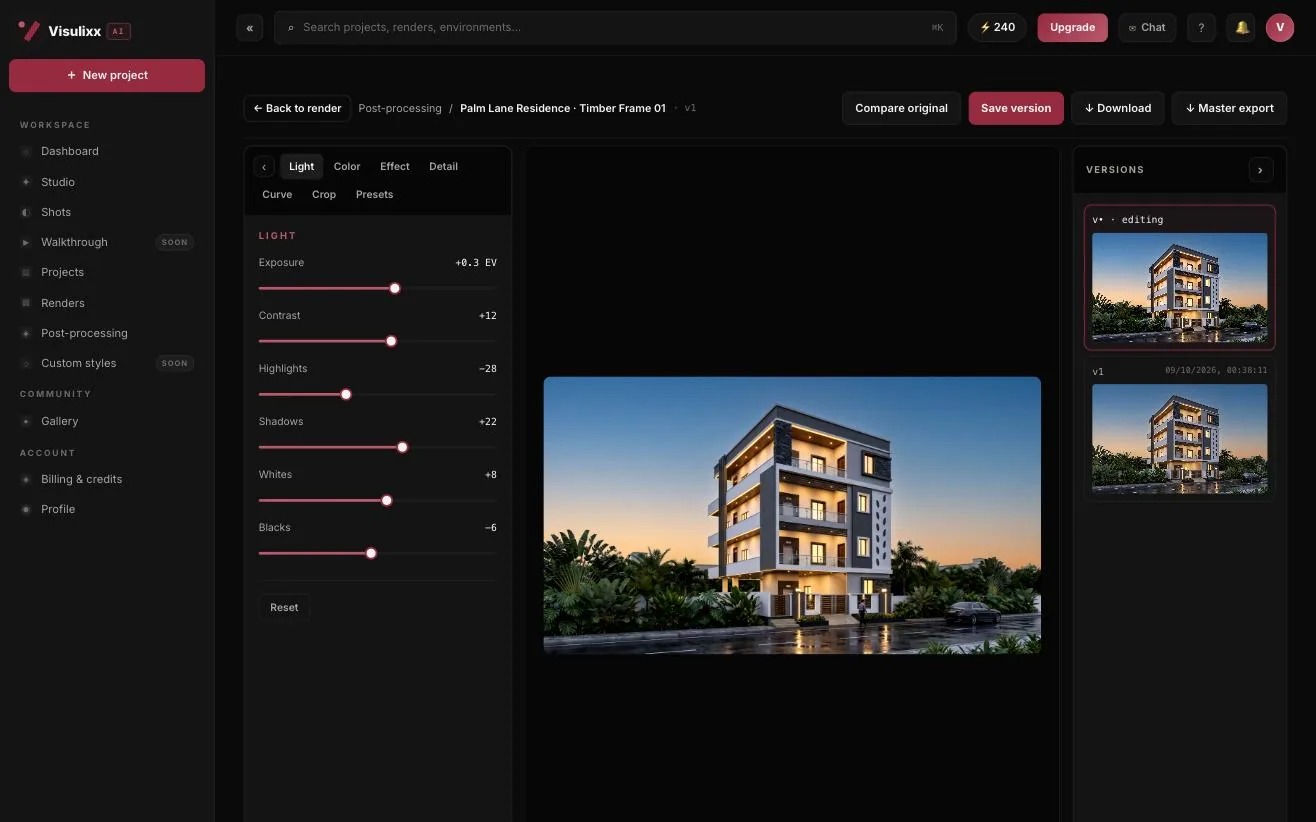
Compare against the source, then re-render, try a different style or atmosphere, or make a one-line tweak — two revisions are included. Fine-tune light, colour, effects, curves and crop in the editor; every save is a version you can return to.
- Downloads are named by project, style and view
- One-click 4K upscale for print and large screens
- Master export from any saved version
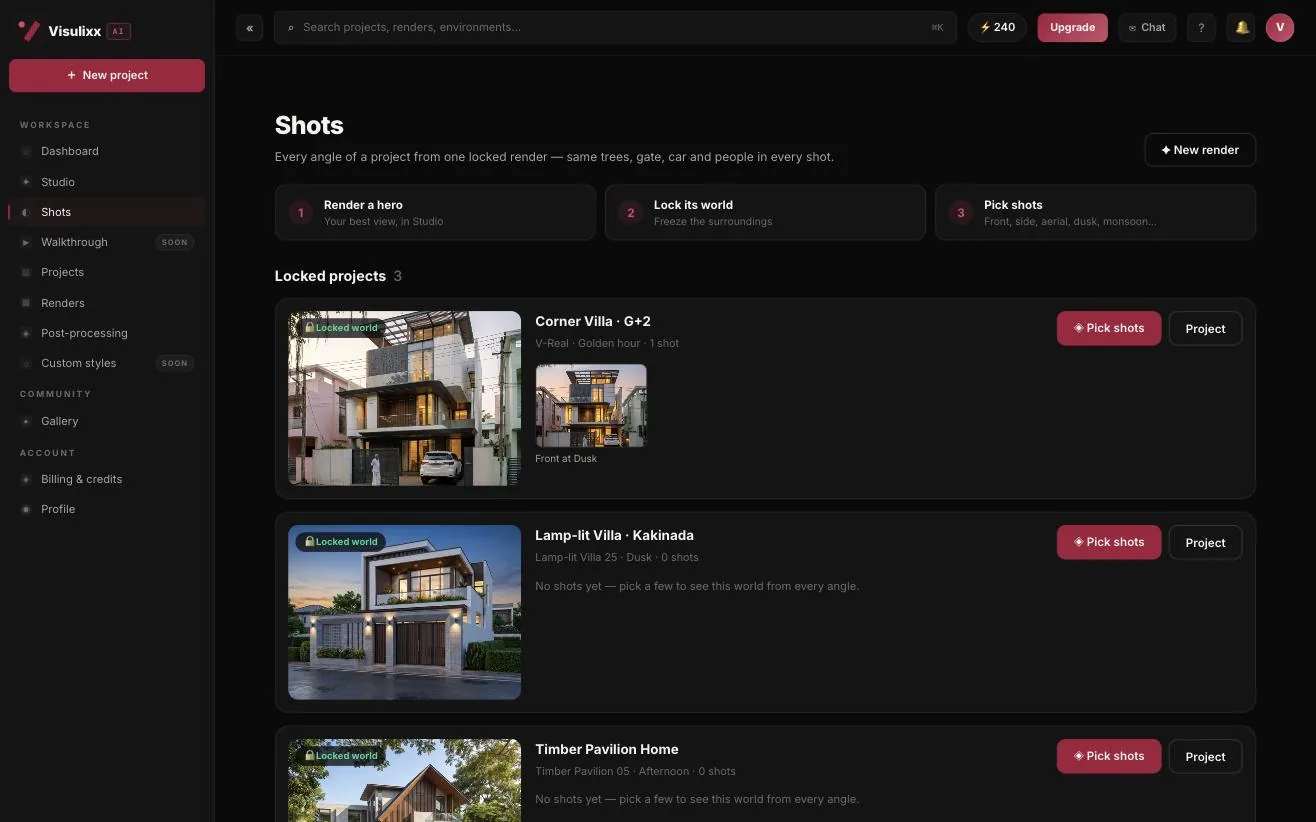
Lock the world, render every angle
Happy with the surroundings? Lock the world and pick shots — front, side, three-quarter, aerial, close-ups, cinematic angles, dusk, monsoon and night. Every shot keeps the same trees, gate, cars and neighbours.
- 12 shot types from one locked render
- Shots render on our servers — keep working meanwhile
- Each shot is checked against the locked world
What happens behind the scenes.
Every render runs through two stages. The first composes the image from your source and the style and atmosphere you picked. The second reads that image and scores it against your source — window count and positions, floor lines, roof edges, gate and boundary wall, the plot. That second stage is what makes Consistency Lock work: renders that drift get one automatic, corrected retry, and renders that still can't be certified are refunded.
For V-Real, an extra step reads your source first and classifies the neighbourhood — village, semi-urban, modern gated, urban residential, city commercial or farmhouse — so the street around your building fits the building.
What Visulixx doesn't do.
We don't redesign your building — no added floors, moved windows or new balconies. We don't train on your drawings. And we don't hand you a render we couldn't check: if a source has no visible façade, Consistency Lock won't pretend to score it. Animated walkthroughs and custom styles are on the way — they're marked “coming soon” in the app until they meet the same bar.
3 free renders · no card
Start with three free renders.
No card. No trial timer. Just your Google account and your first elevation.