Compare · Visulixx vs Visualizee
Visulixx vs Visualizee: which one fits your work?
An honest, side-by-side look at pricing, features and design accuracy — so you can pick the right AI renderer for the way you work.
The short answer
Choose Visualizee if you visualise products or interiors as well as buildings, or you need an API.
Choose Visulixx if you render building elevations for Indian clients and need the drawing kept exactly.
Both are good tools; they are built for different jobs. Below is the detail, with prices taken from Visualizee's own website in October 2026 — check their pricing page for the latest.
At a glance
| Visulixx | Visualizee | |
|---|---|---|
| Pricing | 3 free renders; then ₹399 for 5 renders (₹80 each) down to ₹62/render yearly; top-ups from ₹99; no auto-renewal | Free tier (5 watermarked renders, personal use); Hobby $15/mo; Pro $35/mo; Max $80/mo; Agency custom |
| Focus | Exterior / elevation rendering for Indian residential and commercial buildings | Multi-industry AI visualisation — architecture, interiors, products, furniture, automotive |
| Inputs | Any screenshot — SketchUp, Revit, AutoCAD, Lumion, Rhino, clay models (browser, ⌘V paste) | Sketches, SketchUp screenshots, 3D models, photos, text prompts, moodboards |
| Design accuracy | Consistency Lock — every render checked against your drawing; drift re-rendered; unverifiable renders refunded | Describes geometry-aware rendering; region editing and an AI assistant |
| Multiple angles / lights | Lock world → 12 shot types of the same scene; Change atmosphere re-lights a finished render | Separate renders per view |
| Output | 2K renders, 4K upscale, 12 aspect ratios incl. A4 portrait/landscape; built-in post-processing editor | Up to 32 MP upscale, video, batch rendering on Max, API access |
| Billing currency | INR, GST invoice | USD |
Where Visualizee is stronger
- Covers products, furniture and automotive as well as architecture
- High-resolution upscaling (up to 32 MP) and batch rendering
- API and assistant-driven editing
- Low entry price for occasional users
Where Visulixx is stronger
- Focused only on building exteriors — styles and streets made for Indian projects
- Every render checked against your drawing, with automatic refunds when it can't be verified
- Rupee pricing with GST invoices, no subscription
- Lock world and Change atmosphere for consistent client sets
- No watermark on paid renders; free renders are fully usable for evaluation
Design accuracy: the test that matters
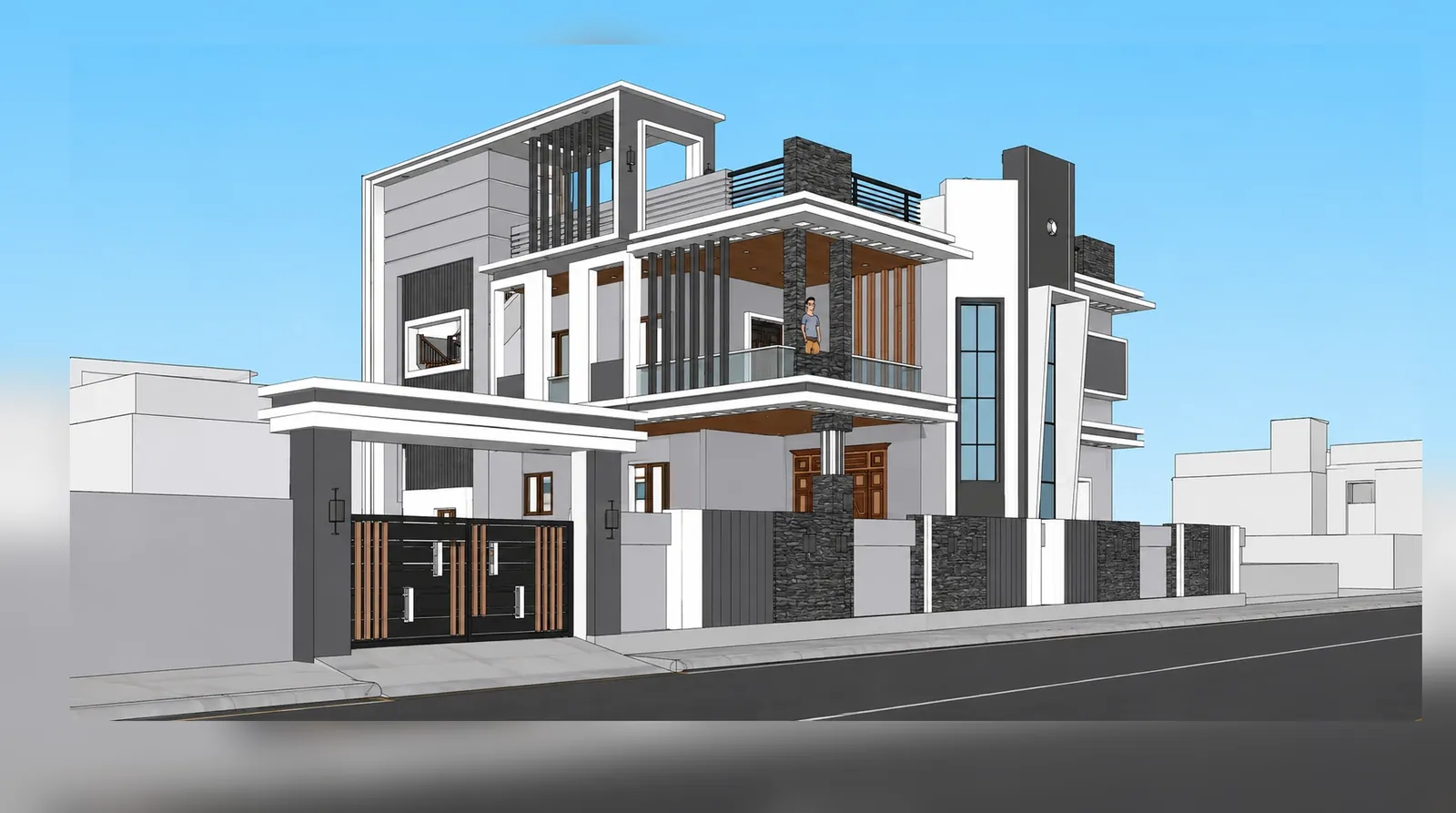
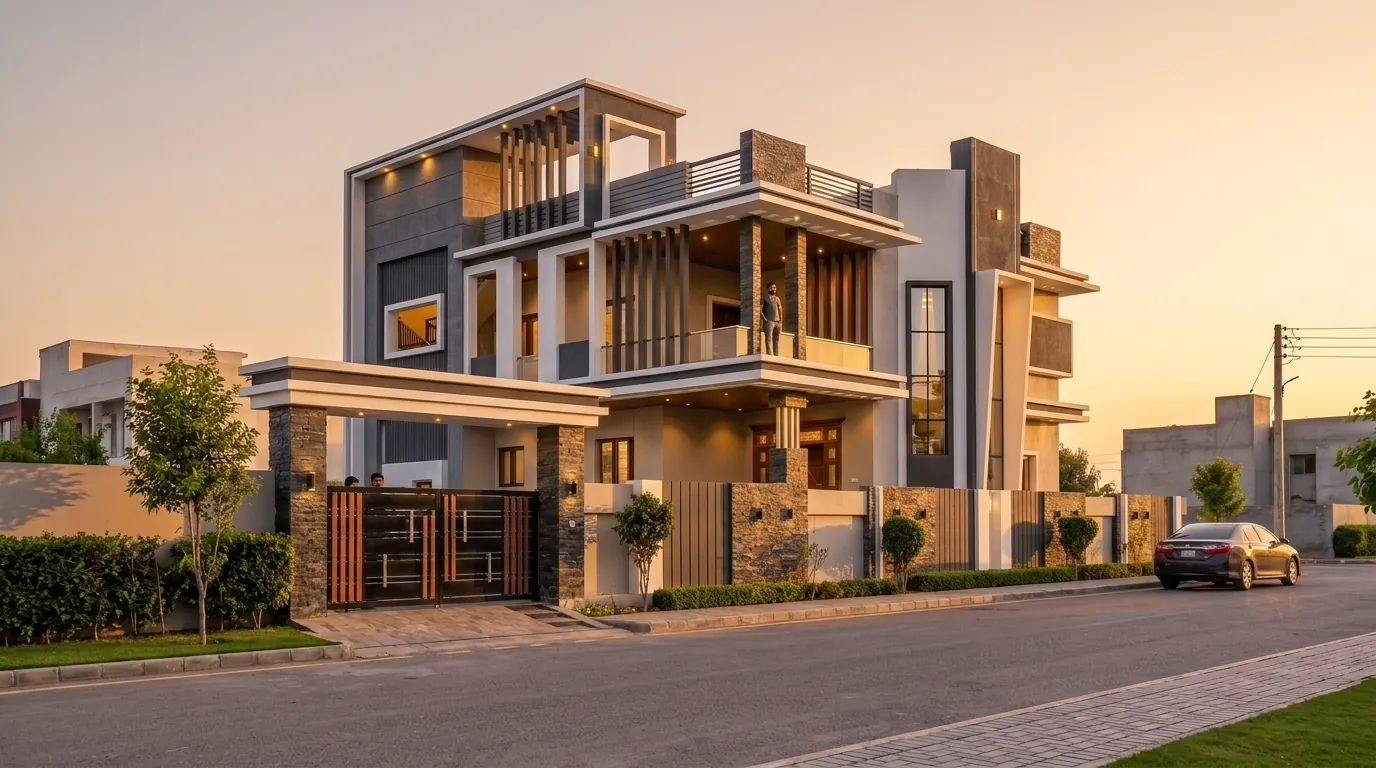
For a client presentation, the most important question is whether the render still shows your building. Before you choose any AI renderer, run the same three elevations through each tool and count windows, floors and balconies in every output. Visulixx runs this check automatically on every render — Consistency Lock compares the output with your drawing, re-renders anything that drifted, and refunds renders it cannot verify.
Price for a typical client set
A typical residential client set is four views with one round of revisions. On Visulixx that is about ₹300–400 (2 revisions per render are free). On subscription tools the cost depends on how much of your monthly allowance you use — they are better value when you render every day, and more expensive when you render in bursts per project. Our rendering cost guide has a calculator.
Run your own test — render one elevation free on Visulixx and compare it with Visualizee.
Start free — 3 renders →Sources
- Visualizee pricing and features: https://visualizee.ai/ (checked 12 October 2026).
- Visulixx pricing: visulixx.com/pricing.
FAQ
Common questions
Is Visulixx a good alternative to Visualizee?
Yes, if your work is mostly exterior and elevation rendering for Indian clients. Visulixx checks every render against your drawing, prices per render in rupees, and keeps the same scene across angles and lights. Visualizee is a better fit if you visualise products or interiors as well as buildings, or you need an API.
Is Visulixx cheaper than Visualizee?
For occasional and project-based rendering, usually yes: Visulixx has no subscription — 3 free renders, then ₹62–80 per render. If you render heavily every day, compare against Visualizee's monthly allowance.
Does Visualizee check renders against my drawing?
Describes geometry-aware rendering; region editing and an AI assistant. Visulixx's Consistency Lock checks every render automatically.
3 free renders · no card
Render your own elevation in about a minute.
Three free renders, no card. Upload a SketchUp, Revit or AutoCAD view and see it photoreal — checked against your drawing.