Blog · Atmospheres
Monsoon renders: how to show a facade in the rain (and why clients love them)
Every Indian client has seen their old house in the rain. Showing the new one wet — glistening paving, reflections, rain against warm windows — is one of the most persuasive renders you can make.
Renders are usually sunny. But for four months a year, Indian homes are seen through rain. A monsoon render does two things a sunny one cannot: it shows how the facade behaves wet, and it creates an image people remember.
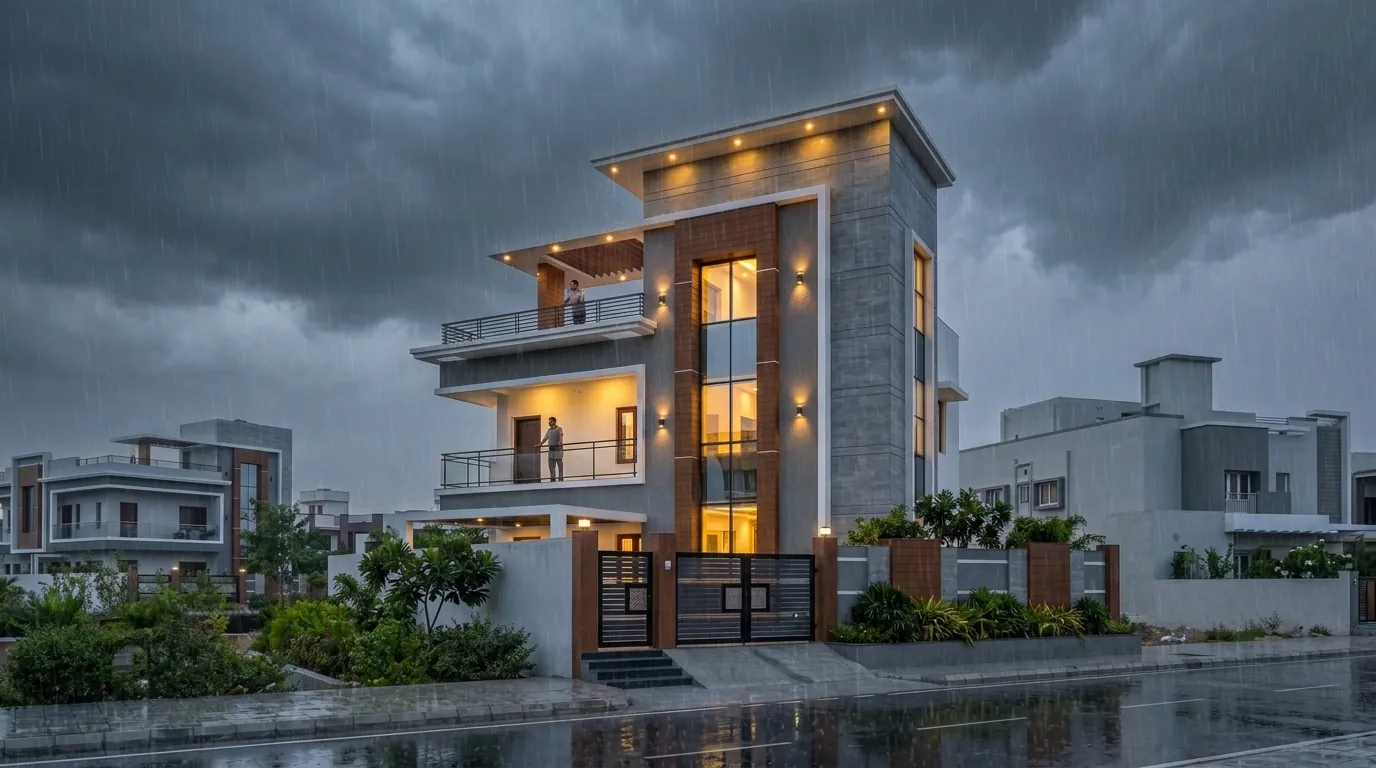
What a monsoon render reveals
- Overhangs and chajjas. Deep projections read as shelter; flat facades look exposed. Clients notice.
- Materials when wet. Stone darkens, timber deepens, paving reflects. A wet render is a fair preview of the house in July.
- Drainage and paving. Puddles and reflections show where water sits — useful for compound and forecourt design.
- Lighting. Warm interiors look twice as inviting against a cool, wet evening.
Three monsoon moods
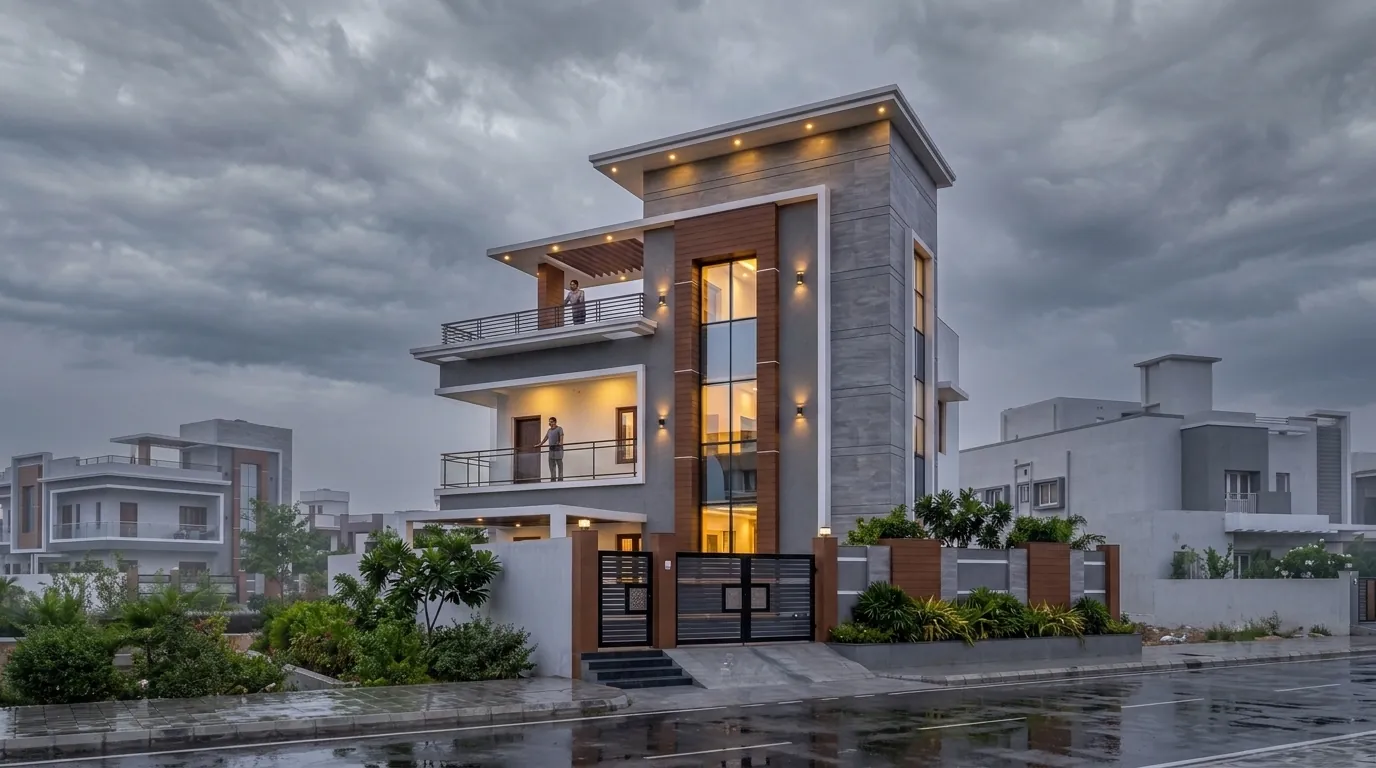
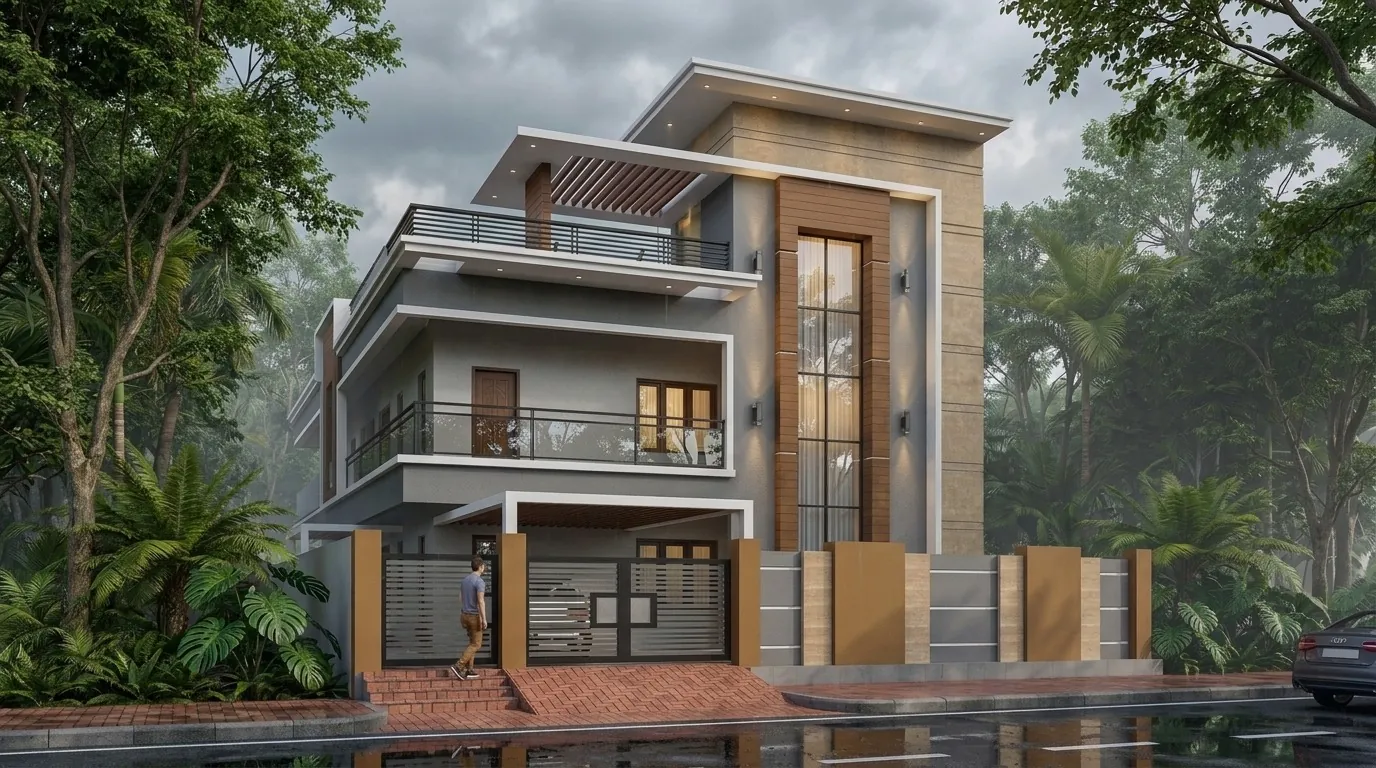
- Monsoon morning — soft, grey and fresh. Calm and realistic.
- Monsoon dusk — the most dramatic: dark sky, rain, lights on.
- Overcast — dry but grey, a gentler middle ground.
How to make one from your render
- Render your elevation in any atmosphere and approve the design.
- Use Change atmosphere → Monsoon morning or Monsoon dusk.
- Confirm. The building, street, trees and cars stay exactly as they were — only the sky, light and surfaces change.
Where monsoon renders work best
- Instagram and WhatsApp in June–September — they get shared.
- Client presentations after a sunny render, to answer "how will it look in the rain?"
- Brochures for projects launched during the rains.
See the same house in every light in our G+2 elevation gallery, or read the lighting guide.
FAQ
Common questions
Can AI add rain to an existing architectural render?
Yes. In Visulixx, Change atmosphere can re-light a finished render as monsoon morning or monsoon dusk, keeping the building and street identical.
Why show a building in the rain?
It shows how materials and overhangs behave in the monsoon, reassures clients, and makes a memorable, very local image for social media.
3 free renders · no card
Render your own elevation in about a minute.
Three free renders, no card. Upload a SketchUp, Revit or AutoCAD view and see it photoreal — checked against your drawing.